Step-by-Step Guide to Creating a New Product Category in WhatsApp Stores
6 mins read · Updated 01 Oct, 2025
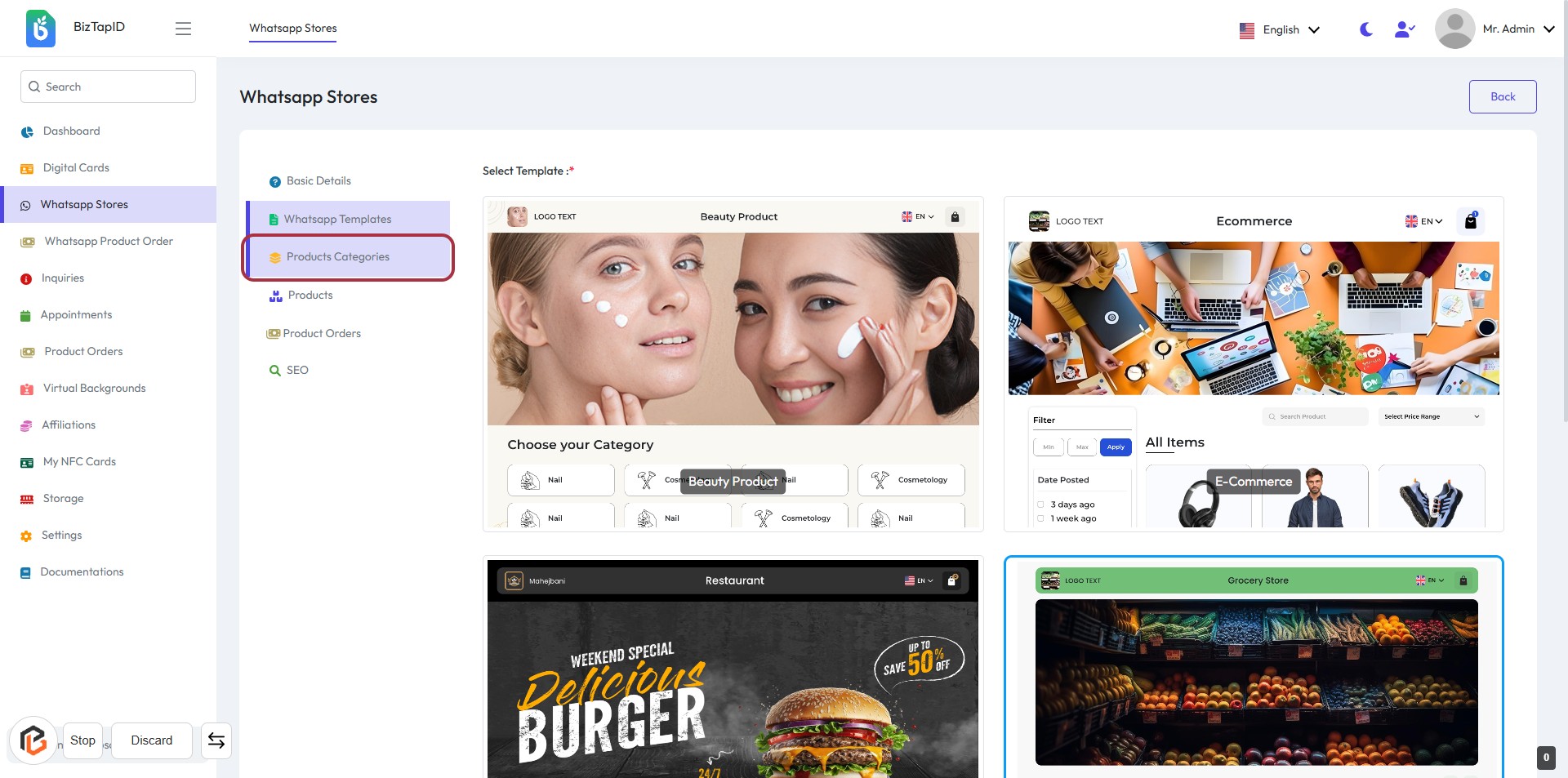
STEP 1: Click on "Products Categories"
- Navigate to the "Products Categories" section on the left sidebar.
- Click on the highlighted "Products Categories" link to access the category management interface.
- Review the available options for managing product categories.
- Prepare to proceed by clicking on "New Product Category" for adding a new category.
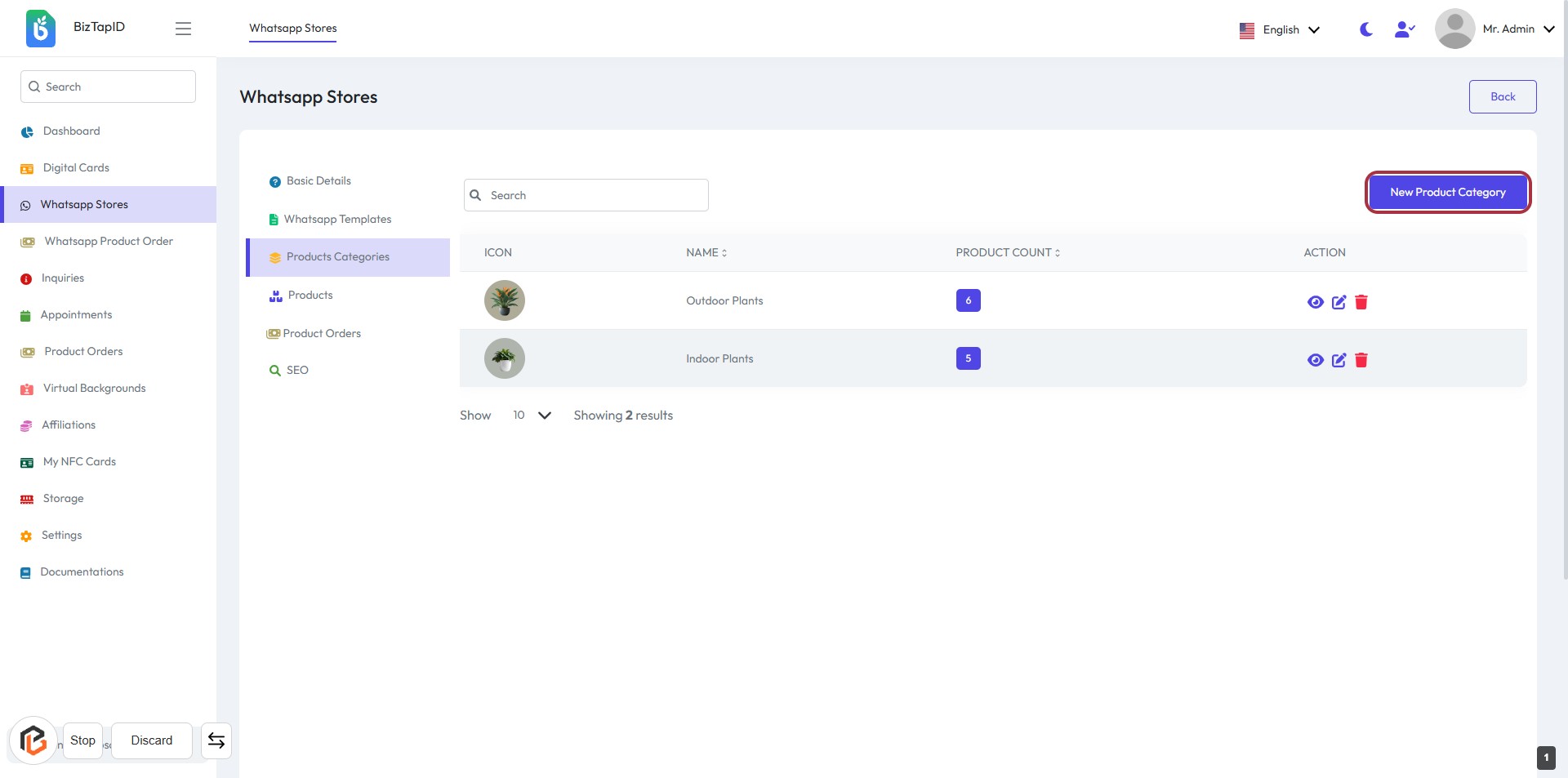
STEP 2: Click on "New Product Category"
- Navigate to the "Whatsapp Stores" section.
- Click on the highlighted "New Product Category" link to initiate the process of adding a new product category.
- Ensure you are on the "Products Categories" page before proceeding.
- After clicking, you will be directed to a form where you can enter the category details.
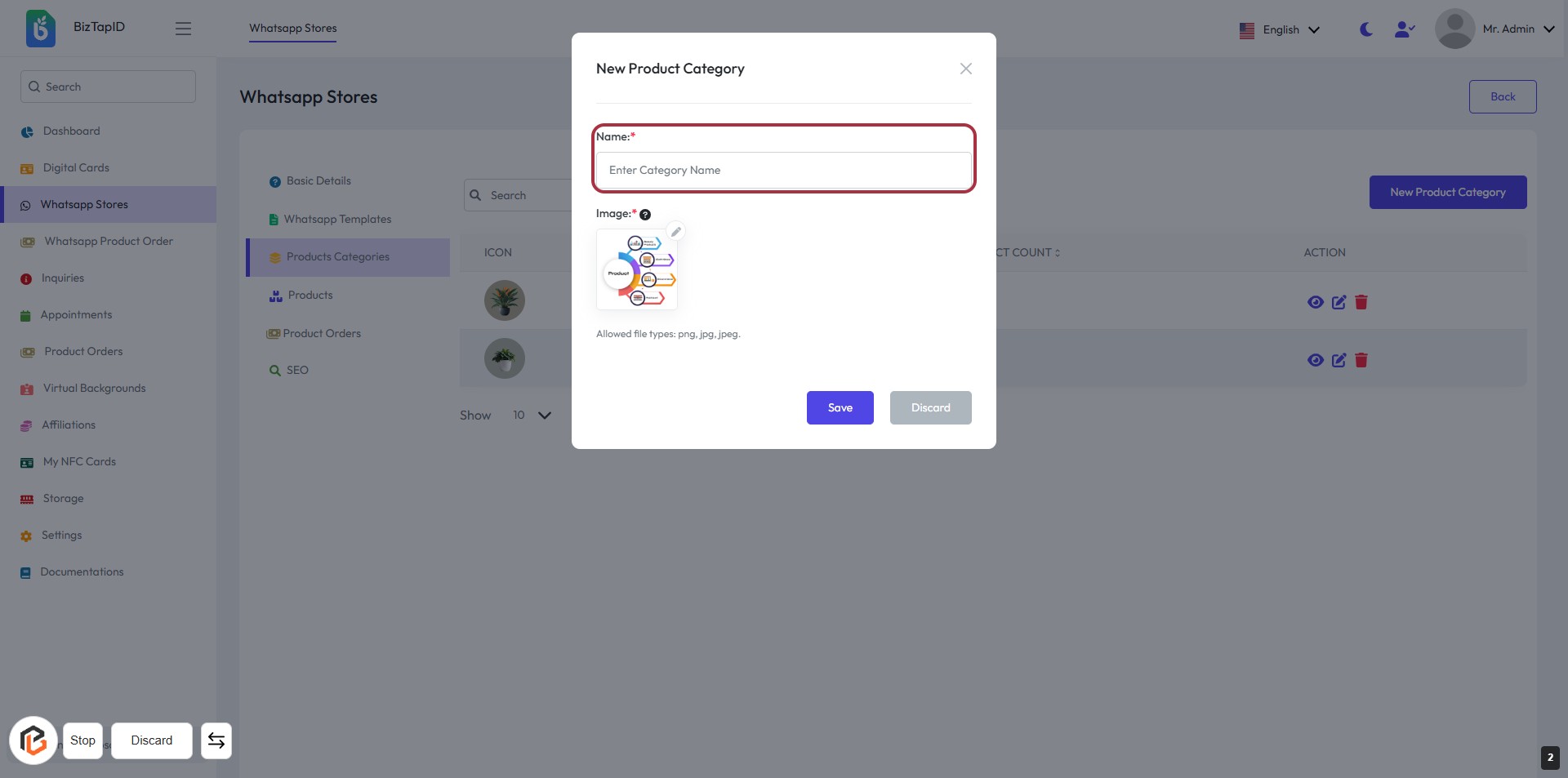
STEP 3: Enter Category Name
- Click on the highlighted area labeled "Name:" to input the category name.
- Ensure to fill in the required field marked with an asterisk (*).
- Optionally, you can also upload an image by clicking on the "?" icon for guidance on image size.
- After entering the name, proceed to the next step by clicking "Save" or "Discard" as needed.
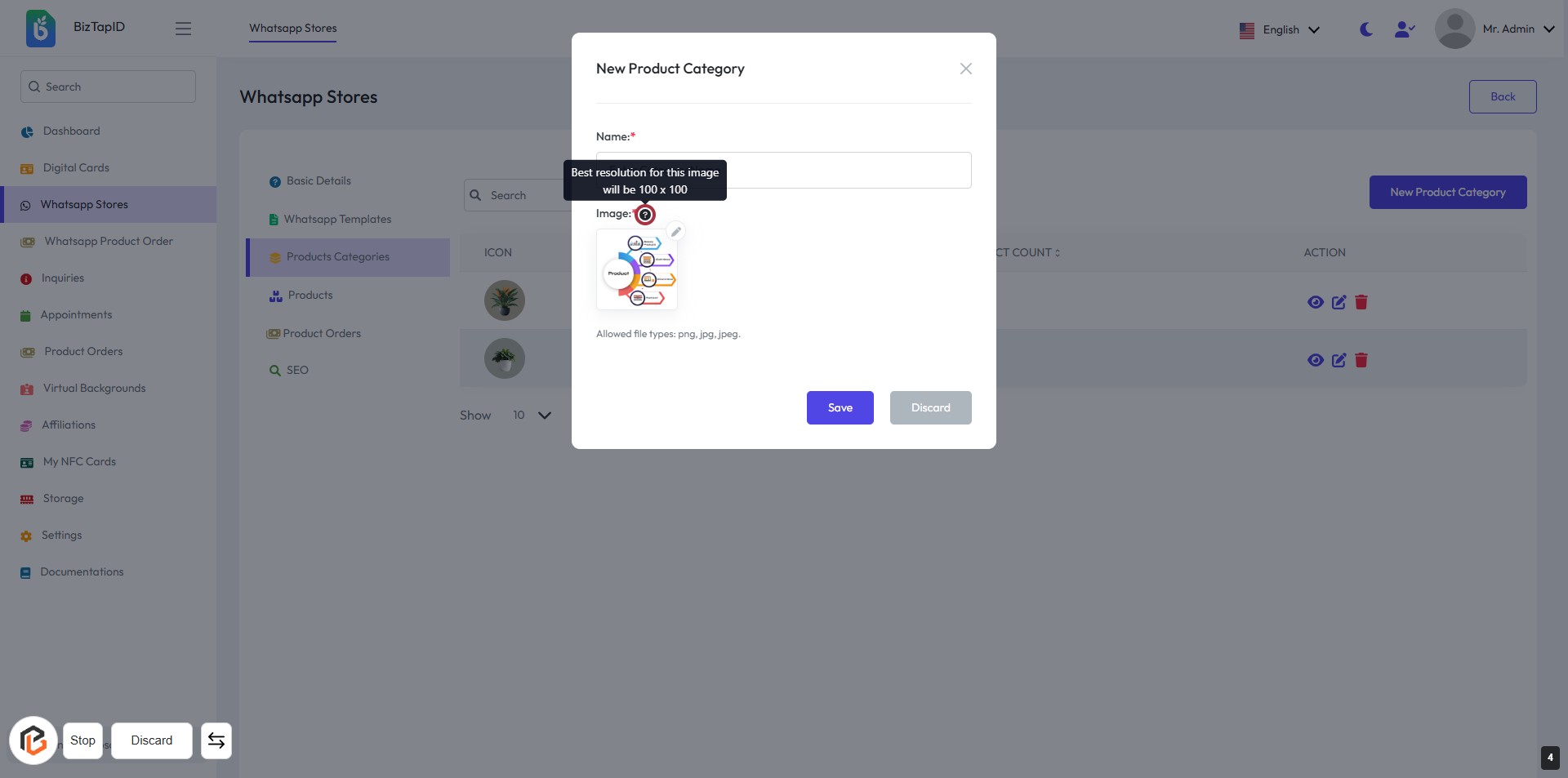
STEP 4: Click on "?" to View Image Size
- Locate the "?" icon next to the "Image" label.
- Click on the icon to display a tooltip with the recommended image resolution (100 x 100).
- Ensure you understand the image requirements before proceeding to the next step.
Note: The "Name" field is mandatory (indicated by *).
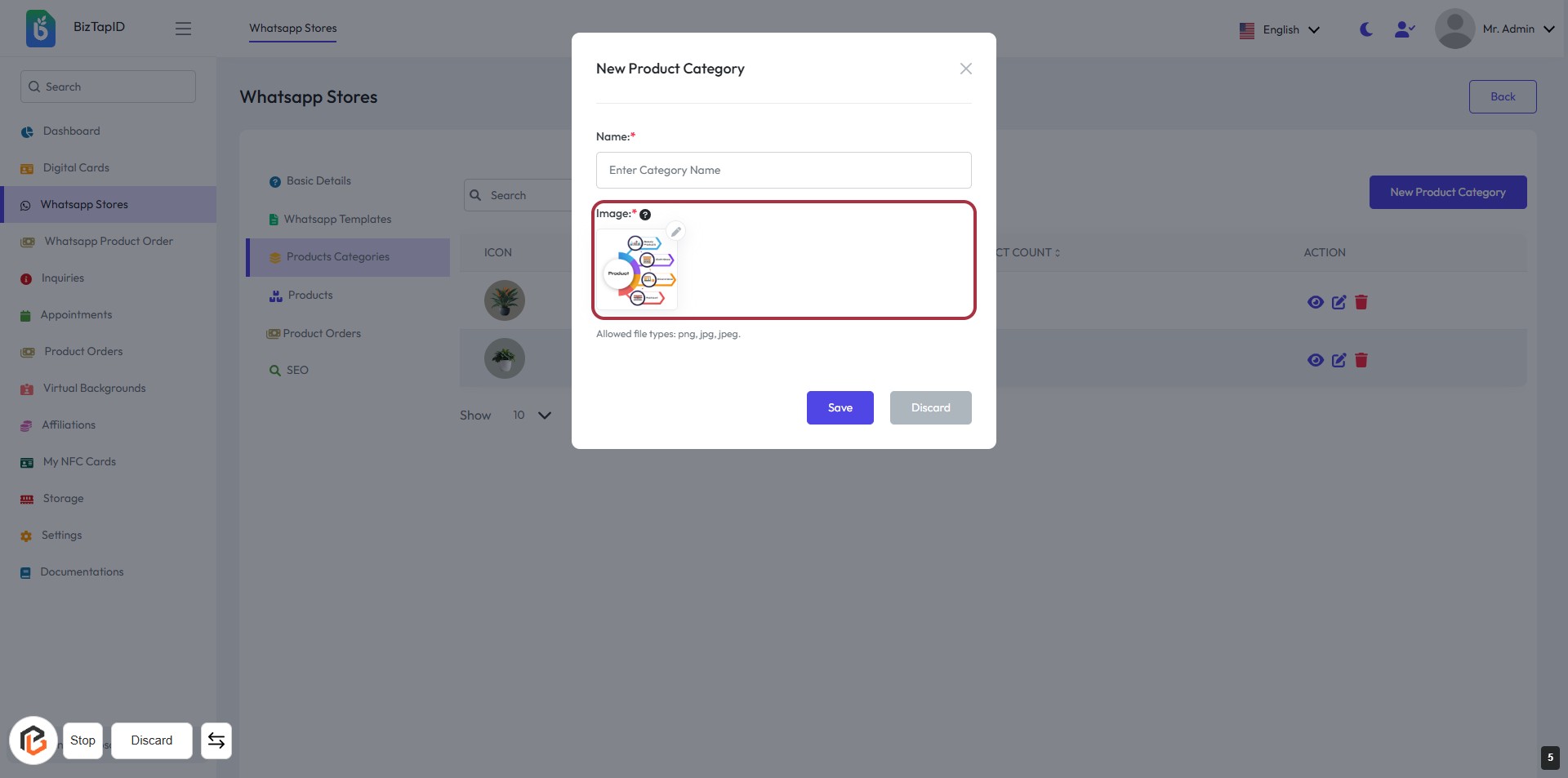
STEP 5: Upload Image for New Product Category
- Click on the highlighted area labeled "Image:" to upload your image.
- Ensure the image meets the allowed file types: PNG, JPG, JPEG.
- Fill in the "Name:" field above with the category name (required).
- Review your inputs before proceeding to the next step.
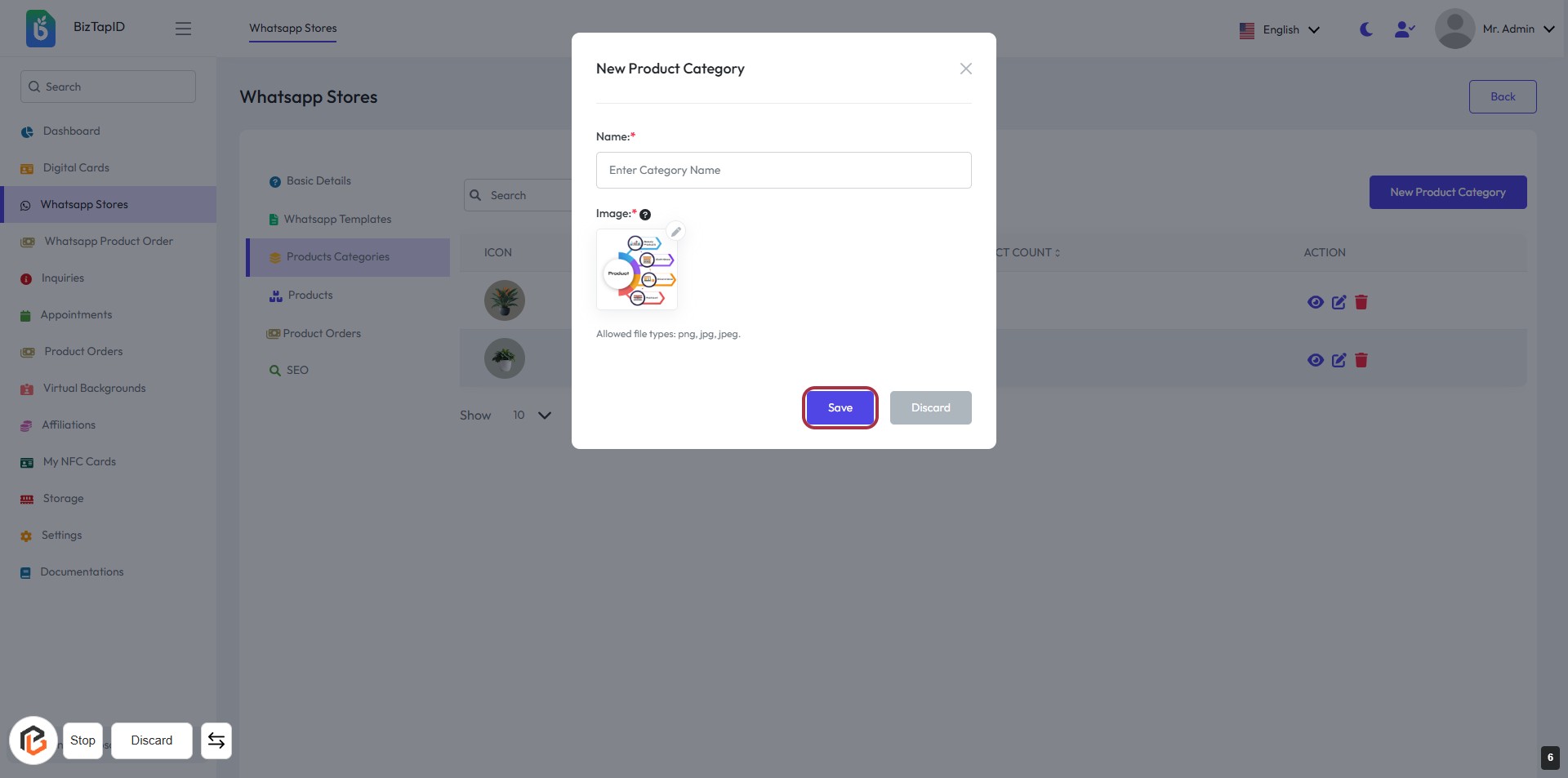
STEP 6: Click "Save" to Finalize New Product Category
- Ensure all required fields (marked with *) are filled out:
- Name: Enter the category name.
- Image: Upload an appropriate image (PNG, JPG, JPEG).
- Click the Save button to save your new product category.