Step-by-Step Guide to Adding a Testimonial: Complete Instructions for Inputting Name, Description, and Image
6 mins read · Updated 01 Oct, 2025
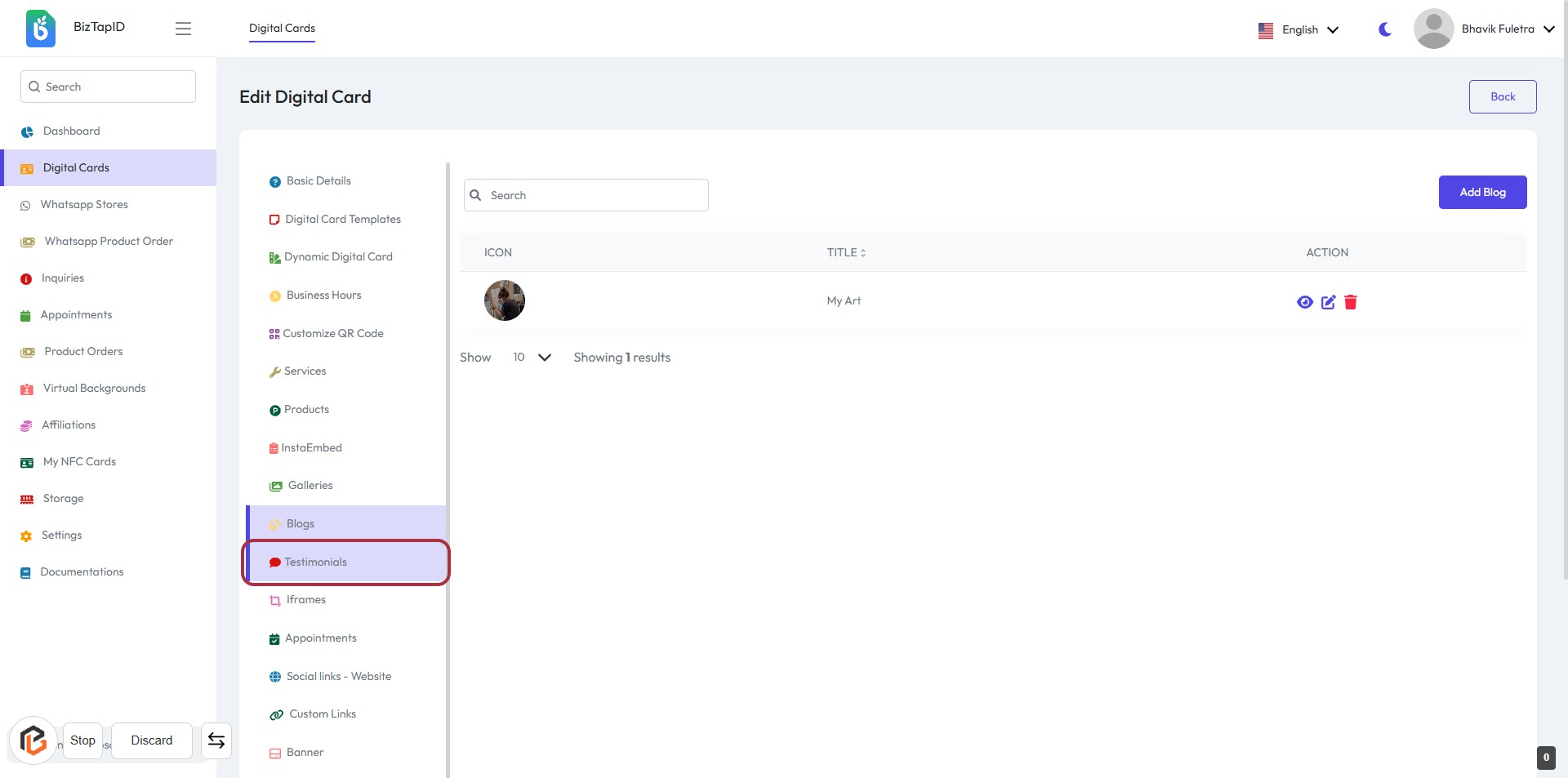
STEP 1: Click on "Testimonials" in the Sidebar
- Navigate to the sidebar on the left.
- Locate the "Testimonials" option highlighted in red.
- Click on "Testimonials" to access the testimonials section.
- Ensure you are on the correct page before proceeding to the next step.
Next, you will click on "Add Testimonial" to proceed.
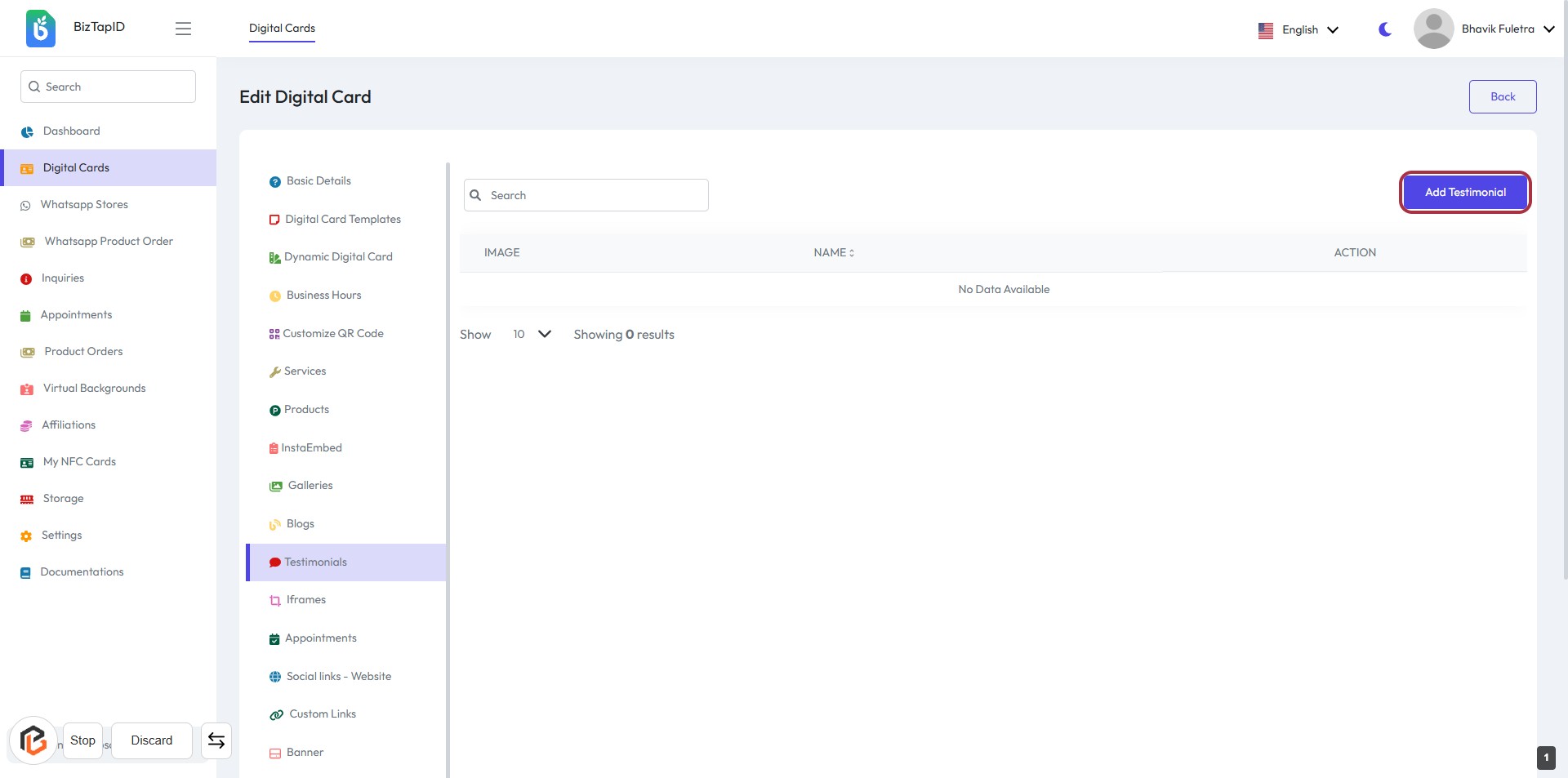
STEP 2: Click on "Add Testimonial"
- Navigate to the "Testimonials" section.
- Click on the Add Testimonial button highlighted in red.
- Ensure you are on the correct page: Edit Digital Card.
- After clicking, proceed to enter the required information in the next step.
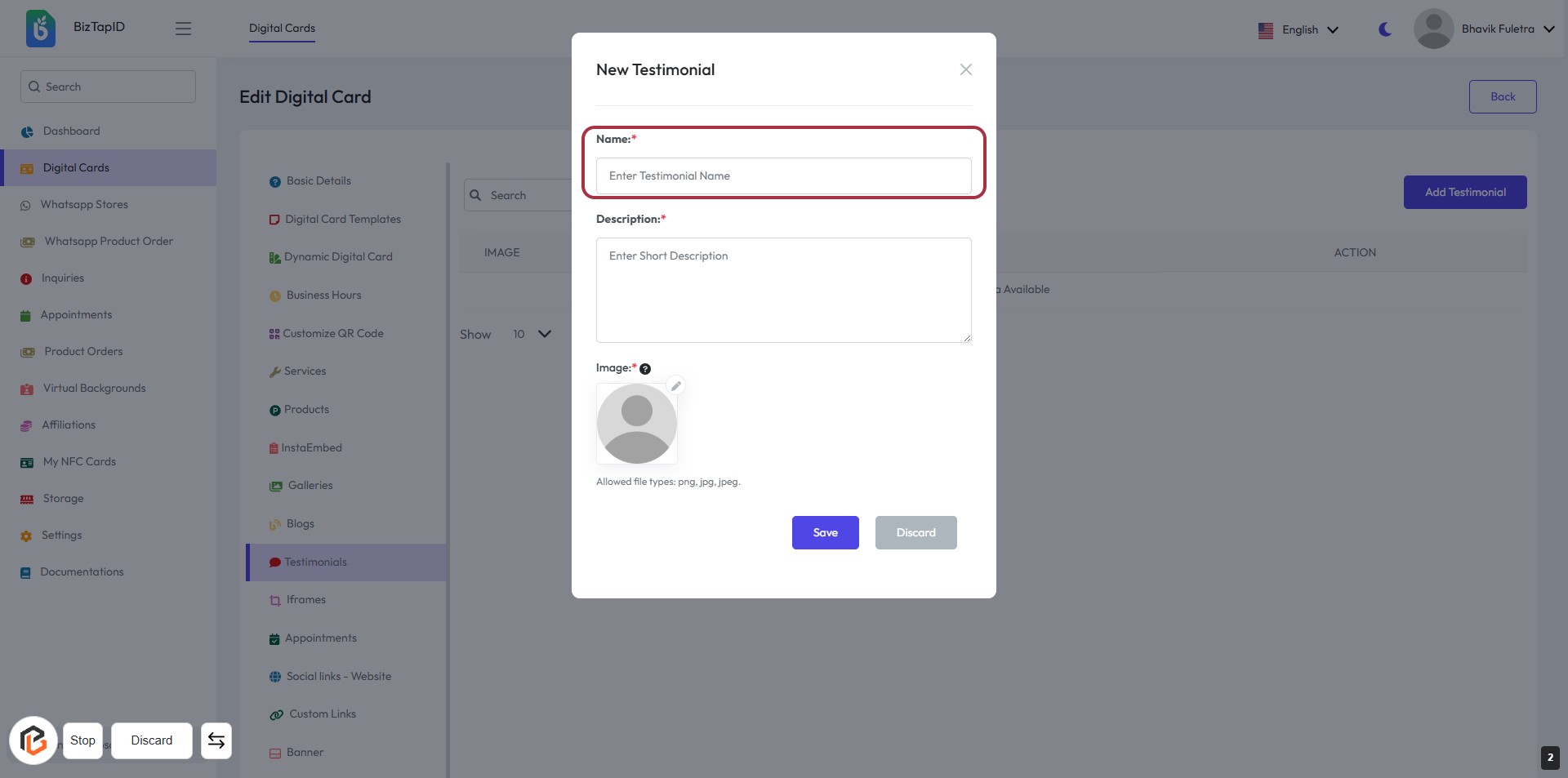
STEP 3: Enter Name for the Testimonial
- Click on the highlighted area labeled "Name:" to input the testimonial name.
- Ensure to fill in this field as it is marked with an asterisk (*), indicating it is required.
- After entering the name, proceed to the next step to write the "Description."
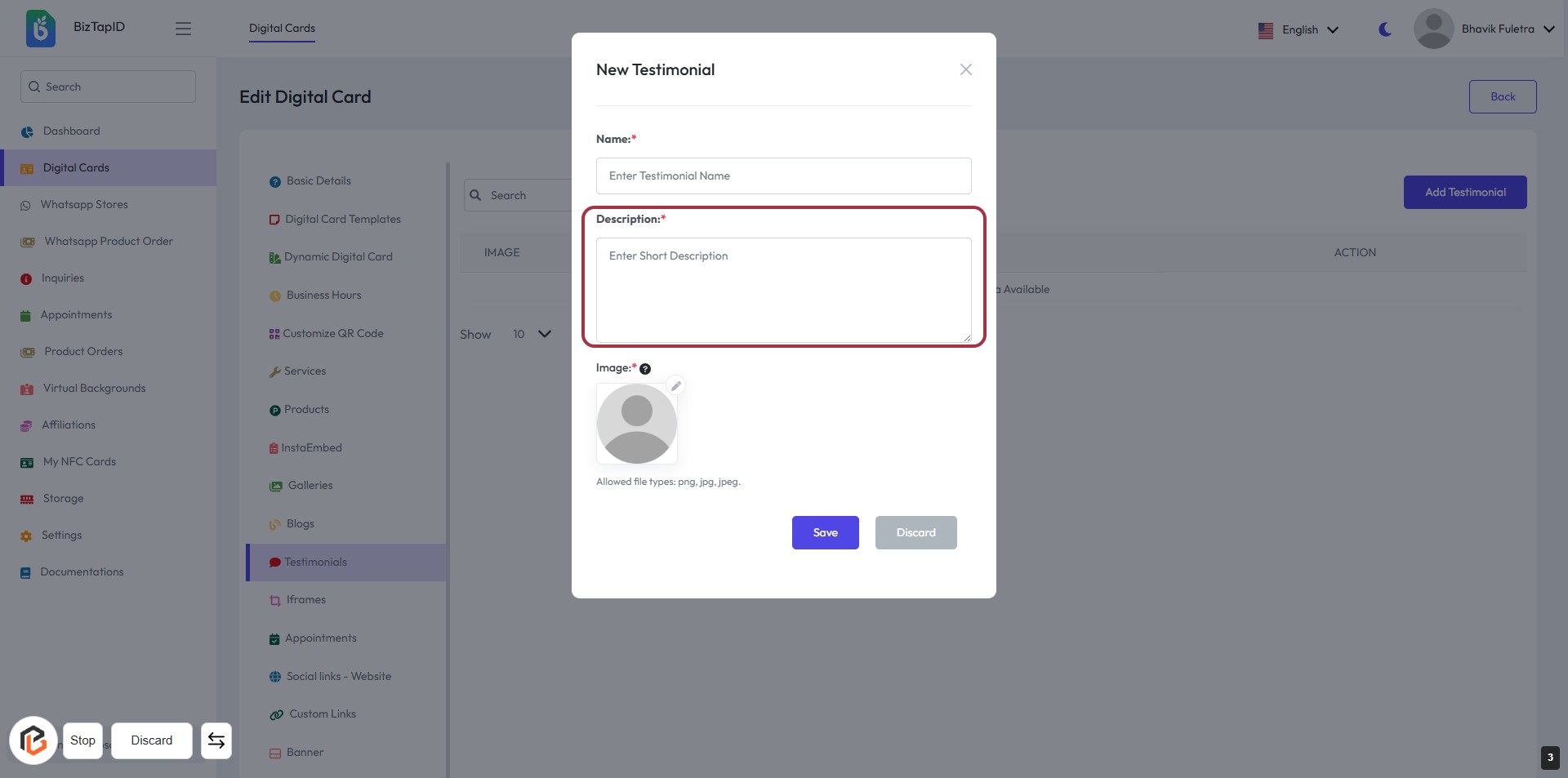
STEP 4: Click to Enter Description for the Testimonial
- Click on the "Description" field to enter a short description of the testimonial.
- Ensure the field is marked with an asterisk (*) indicating it is required.
- Provide a concise and relevant description that captures the essence of the testimonial.
- After completing this step, proceed to upload an image in the next step.
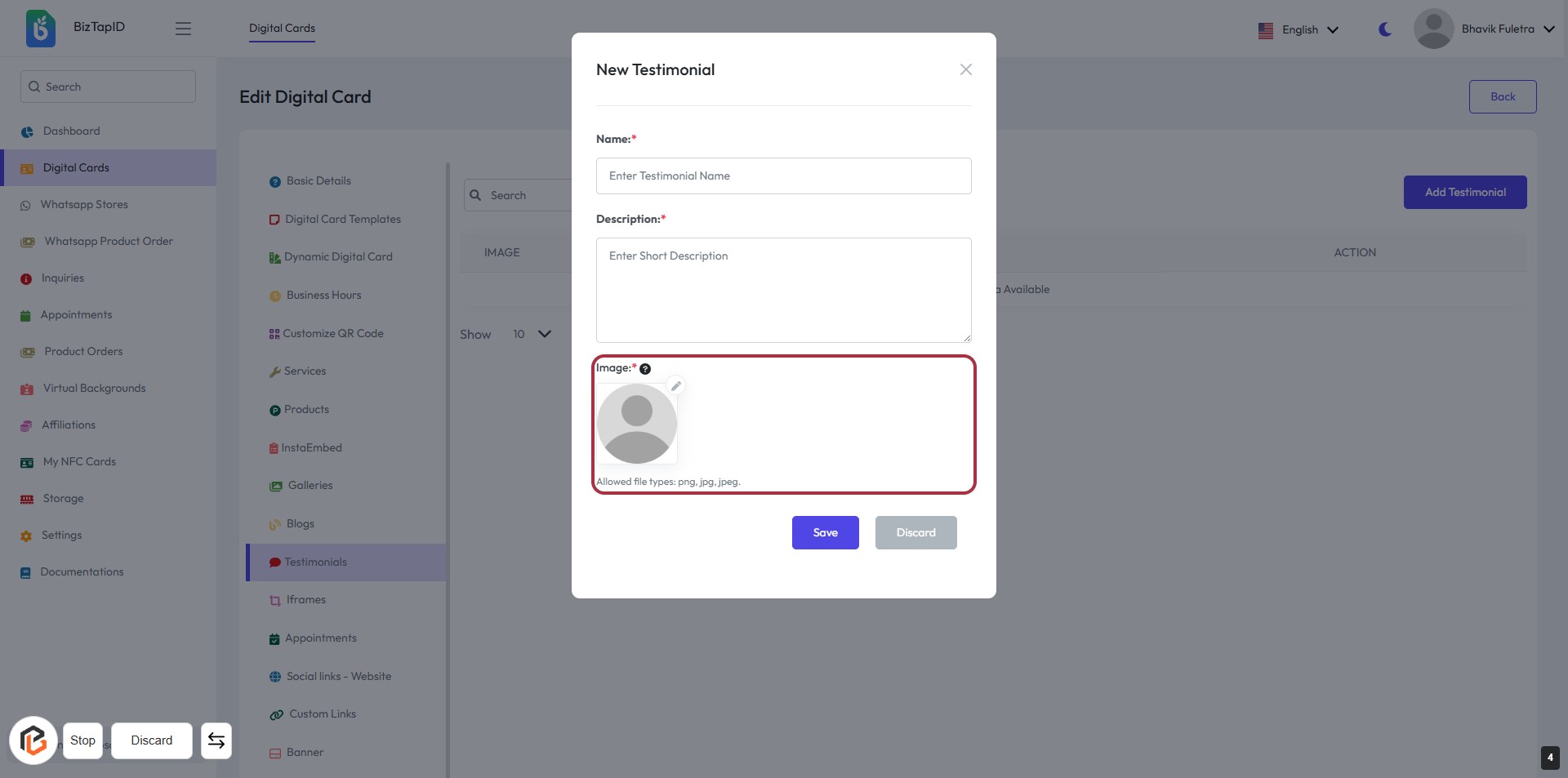
STEP 5: Upload Image for Testimonial
- Click on the highlighted area labeled "Image:" to upload an image for the testimonial.
- Ensure the image file is in one of the allowed formats: png, jpg, or jpeg.
- Review the other required fields: Name and Description, marked with an asterisk (*).
- After uploading, proceed to the next step by clicking the "Save" button.
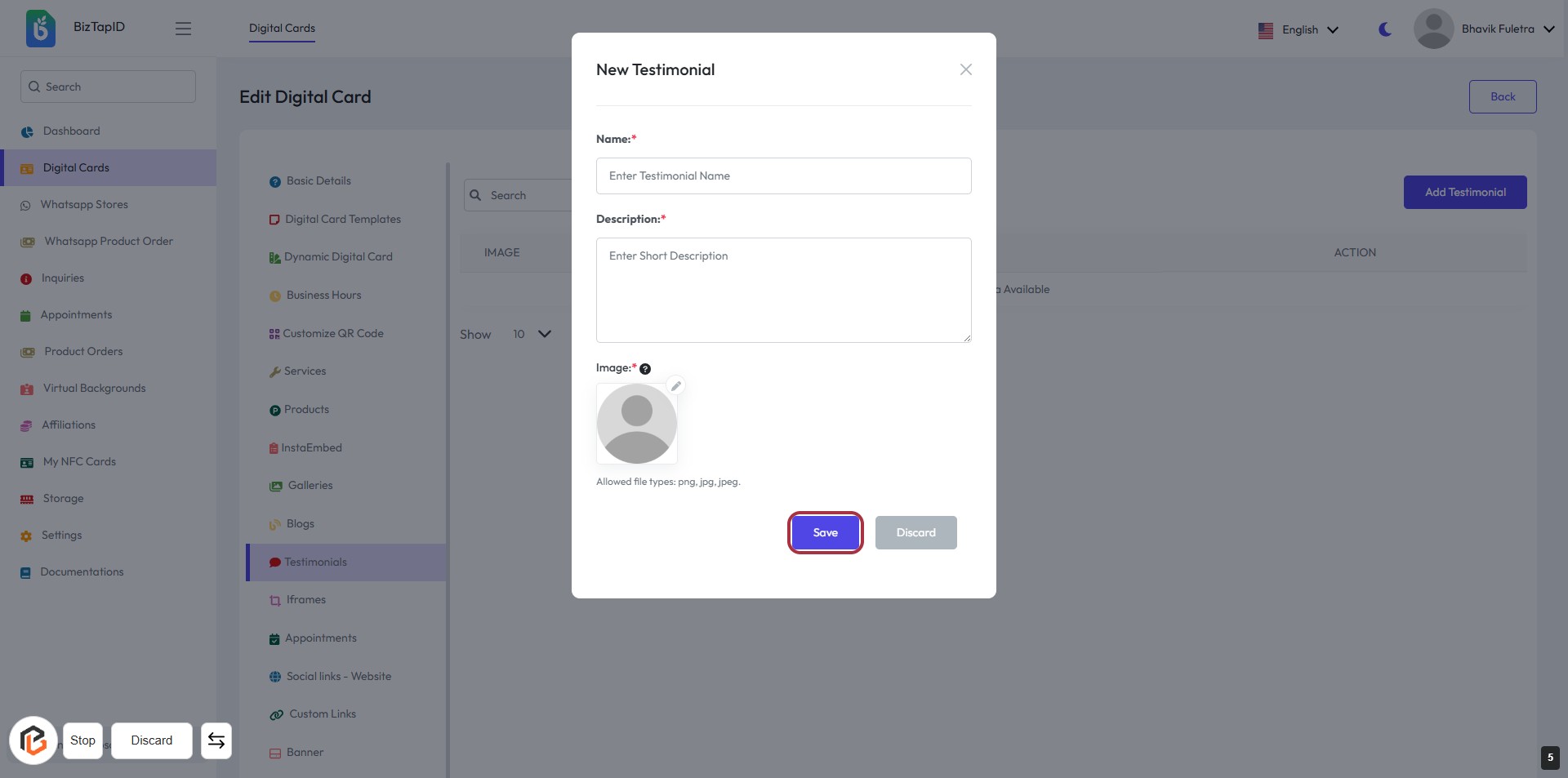
STEP 6: Click on "Save" Button to Submit Testimonial
- Ensure all required fields are filled:
- Name: Enter the testimonial name (marked with *).
- Description: Provide a short description (marked with *).
- Image: Upload an image (marked with *).
- Click the Save button to submit your testimonial.